MeowFactory Meoworker Care Guide
Mood, cleanliness, pay, and sleep — keep fluffy staff from torching the line.
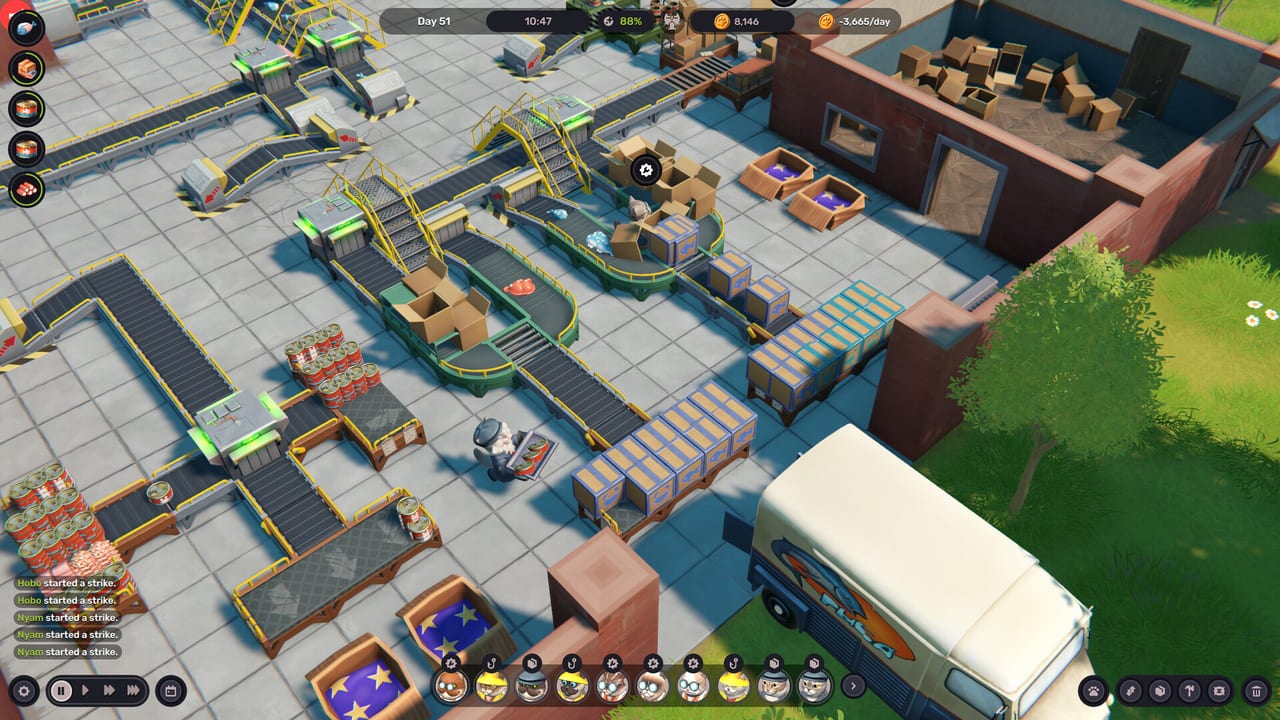
MeowFactory’s machines are honest. Meoworkers are not. They will staff your packers, then eat the merchandise, ride the conveyor, stick their noses into moving parts, start a fight, or escalate neglect into fire and explosion. This guide covers how to keep the crew functional: mood, cleanliness, pay, sleep, job memory, and incident response. Pair it with Automation Basics so you are not blaming cats for a belt that never should have crossed their favourite nap corridor.
The setting is a post-disaster future where lazy humans lean on feline labour. You are the floor manager. Smola Game Studio and Gamirror Games ship a single-player puzzle-factory experience on Steam (November 27, 2026, Windows and macOS). Care systems matter in the demo and intensify across the full campaign’s ~18 levels in 5 chapters, free mode, and survival.
The care triangle: mood, cleanliness, pay
Official feature copy calls out three pillars you must monitor:
- Mood — happiness and satisfaction with conditions. Low mood predicts fights, refusal, and creative destruction.
- Cleanliness — factories slide toward “cat hell” when litter, mud, and mess accumulate. Filth is not cosmetic; it feeds accidents and attitude.
- Pay — compensation is part of the sim. Underpaid meoworkers do not become stoic; they become problems.
Treat the triangle like a rotating checklist. After every major rebuild, glance at the cat panel. After every accident, glance again. Throughput screenshots that hide three red need icons are lies you tell yourself.
Sleep and downtime are production tools
In-game coaching and playthroughs stress that cats get sad without a place to sleep. Sleep spots are not unlockable fluff — they are load-bearing furniture:
- Place rest options before you max simulation speed on a new layout.
- Keep sleep adjacent to staff pathing but off the hottest belt segments.
- If cats repeatedly nap on conveyors, you under-provisioned rest or over-extended belt length.
A resting cat is temporarily offline; an exhausted cat is a random event generator. Budget the offline time.
Jobs, professions, and memory
Meoworkers take roles — builders, operators, and other station jobs as levels unlock them. A major demo update made cats remember their profession and return after emergencies or idle periods. Practical implications:
- Assign deliberately once; stop thrashing jobs every time a fire starts.
- After you clear an emergency, verify they walked back; memory helps, it is not teleportation.
- When a new machine comes online, promote or reassign with intent rather than leaving floaters to invent hobbies.
The redesigned bottom cat selection panel is your roster UI. Learn to read it the way you read belt fullness.
Classic feline failure modes
Expect these behaviours because the design promises them:
| Behaviour | Immediate response | Structural fix |
|---|---|---|
| Eating product on the belt | Pull cat; protect critical SKUs | Shorter belts, faster sink into storage/pack, less exposed snacks |
| Riding conveyors | Pull before intake | Bridges, barriers, separated walk lanes, shorter runs |
| Nose in machines | Pull / rescue | Guard intakes, redesign approach tiles |
| Fighting each other | Break up; check mood/pay | Improve triangle; avoid overcrowding choke points |
| Playing with boxes | Clear obstruction | Storage discipline; do not leave toy piles in aisles |
| Fire / explosion / mud disasters | Pause, extinguish/clean per tools available, reassign | Fix root neglect; do not only rebuild pretty belts |
The store page’s warning is literal: ignored cats will blow up, puke on, or burn down what you built. Incident response without root-cause care is a loop.
Designing for cats, not against cartoons
You will never fully delete cat nature — that is the comedy. You can lower frequency:
- Automate high-touch paths so fewer paws hover near food (Automation Basics).
- Provide sleep and clean spaces so needs do not spike into crisis.
- Keep teams sized to the room. Extra idle cats invent content.
- Watch desire paths. If everyone cuts across the main belt, that belt is wrong or needs a bridge.
- Slow the sim when learning a new care UI. Speed hides the first warning icon.
Good managers design environments where the default lazy cat behaviour is harmless. Great managers still keep a finger on the pause key.
Cleanliness routines
Cleanliness drops when accidents, spills, and neglect stack. Build a habit loop:
- After any fire, flood of mess, or mass snack event, clean before you re-max speed.
- Do not open a second production wing on top of an existing pigsty.
- If the factory “feels” wrong before meters confirm it, trust the vibe and inspect — early demos teach that visual chaos predicts numerical chaos.
Clean floors also make it easier to see belt jams. Care and automation share the same visibility budget.
Pay and morale without spreadsheet addiction
You do not need a PhD in feline payroll on day one, but you do need to notice pay dissatisfaction before fights. When mood tanks across multiple cats at once, check shared causes: pay, filth, missing sleep, or a layout that strands them in stressful corners. Spot-fixing one VIP while the break room is a disaster only delays the boom.
Later meta discussions about “best” teams and roles belong on the Tier List Hub. Early game priority is stable enough, not perfect min-max.
Emergencies: a calm protocol
- Pause or slow.
- Rescue cats in machines or on lethal belt approaches.
- Stop the hazard (fire, fight, blockage) with the tools the level gives you.
- Read needs on the cat panel; fix the triangle and sleep.
- Confirm professions return to stations.
- Hardening pass — bridge, mirror, shorten, or buffer so the same incident is less likely.
- Resume at normal speed, then fast.
Skipping step 6 means you are farming the same cutscene.
Care in the demo versus full game
The Steam demo’s tutorial and Chapter 1 exist to teach care under gentle quotas. Full release adds more chapters, free mode, and survival — longer sessions where neglect compounds. Habits you form now (sleep first, pull riders, audit mood after rebuilds) transfer. Level-specific quotas and map quirks are covered in the Demo Walkthrough; onboarding context sits in Getting Started.
Track design changes on the Updates Hub. Profession memory and panel redesigns already shifted how harshly the demo punishes reassignment spam.
Team composition mindset
“Assemble the most cohesive team” is marketing language for: right cat, right job, fewer floaters. Cohesion is not identical coats; it is low conflict plus covered stations. If two cats constantly brawl, separate their paths, improve mood, or change who shares a choke doorway. If a builder is forever yanked into operator duty, your roster is thin — add or unlock rather than hot-potato jobs.
Related reading
- Getting Started — first-hour care rules.
- Automation Basics — remove paw temptation with better belts.
- Demo Walkthrough — apply care under Chapter 1 timers.
- Guides Hub — index of all guides.
- Tier List Hub — comparative staff/layout takes as the community settles.
- Updates Hub — care and UI patch notes.
- System requirements — keep frame rate stable so icons stay readable.
- Links Hub — Discord and Steam for bug reports and tips.
Happy meoworkers are not a side quest. They are how fish boxes leave the building instead of the building leaving this plane of existence.
Frequently Asked Questions
Quick answers to the most common MeowFactory questions.
What happens if I ignore meoworker needs?
Mood, cleanliness, and pay problems escalate into fights, mess, fires, explosions, or a factory that becomes unmanageable. Pulling cats out of danger is temporary; fixing needs and layout is the real repair.
Why do cats keep eating my products?
Exposed goods on long belts are snacks. Shorten conveyors, sink items into storage or packers faster, and keep hungry, low-mood cats from loitering on the main line.
Do cats remember their jobs after emergencies?
Demo updates added profession memory so meoworkers return to assigned work after emergencies or idle time. Still verify they make it back, especially after big incidents.
Is sleep really required?
Yes. Developer tips highlight sadness when cats lack sleep places. Under-rested meoworkers create more incidents even if your belts look perfect.
Can another player help manage cats?
No. MeowFactory is single-player. You alone balance care, pay, and the pause button.