MeowFactory Steam Features
What Achievements, Cloud, Leaderboards, and Family Sharing mean for day-one players.
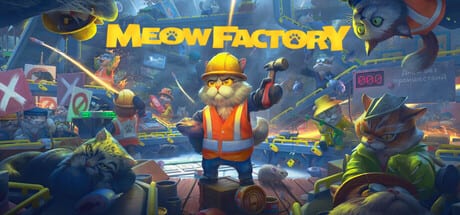
The MeowFactory Steam store page lists several platform features that shape how you install, share, and chase optional goals. This page documents those as listed publicly— Single-player, Achievements, Steam Cloud, Leaderboards, and Family Sharing— and explains how they help players without inventing an achievement checklist or fake leaderboard categories. For hardware tables, use System Requirements. For launch logistics, use Launch Week.
Smola Game Studio develops MeowFactory; Gamirror Games co-publishes. The full game targets Steam unlock on November 27, 2026 for Windows and macOS, with a free demo already live. Always re-open the store page if feature tags change after a patch.
Feature table (store-listed)
| Feature | What it means for you |
|---|---|
| Single-player | You manage the factory alone— no shared multiplayer shifts |
| Achievements | Optional Steam goals tied to play milestones |
| Steam Cloud | Supported cloud save sync between your machines |
| Leaderboards | Competitive or comparative boards via Steam |
| Family Sharing | Household library sharing under Steam’s rules |
These tags describe platform support, not a promise that every mode uses every feature on minute one. Treat them as capabilities to verify in your client after unlock.
Single-player — the design contract
MeowFactory is built as a single-player puzzle-factory experience. Cats look social; the shift is not. Practical implications:
- Friends can watch a stream or sit on the couch; they cannot join as a second manager.
- Progress, spoiler pacing, and difficulty are yours to control— see spoiler tips on Launch Week.
- Strategy pages on this wiki (Machines Priority, Meoworker Priority) rank production decisions, not PvP loadouts.
If a future mode ever adds asynchronous comparison (for example via leaderboards), it still does not turn the campaign into a lobby shooter. Plan your mental model around solo management.
Achievements — optional goals, no invented list
Steam Achievements give collectors and completionists extra targets beyond clearing a level’s order board. How they help:
- They can nudge you to try free mode, survival, or care-focused play once those modes are available in the full release.
- They provide a lightweight checklist in the Steam overlay without requiring a third-party tracker.
- They remain optional— failing an achievement does not brick a campaign save.
What this wiki will not do: publish a fabricated list of achievement names, hidden percentages, or “easiest 100% route” claims before stable post-launch data exists. When official achievements are visible in the Steam client, community guides may catalog them; until then, treat the tag as “supported,” not as a spoiler sheet.
Play first for clean factories. Chase overlay popups second.
Steam Cloud — continuity between your PCs and Macs
Steam Cloud support means the game is set up to sync saves through Steam’s cloud service when conditions are met. Player benefits:
- Move between a desktop and a laptop without USB stick rituals.
- Recover more gracefully after a disk swap— if the cloud copy is current.
- Keep demo experiments and full-game saves organized under the same Steam account hygiene.
Healthy Cloud habits:
- Exit to the menu cleanly after a long session so the client can flush saves.
- Avoid force-killing the process mid-write during a cat emergency pause.
- If you dual-boot or use multiple libraries, confirm which install is authoritative before you overwrite a newer cloud slot with an older local file.
- Remember Cloud is not a substitute for reading patch notes— a broken local config can still sync.
Cloud does not invent cross-play multiplayer; it moves your progress between your devices.
Leaderboards — compare carefully
The store lists Leaderboards. Exact board categories (time, score, survival waves, efficiency) depend on what the studio wires into Steamworks. Until the live client shows boards:
- Expect early-week rankings to be volatile while players learn systems and patches land.
- Do not treat a stranger’s top time as a layout you must copy into chapter 1’s tiny footprint.
- Use boards as optional spice after you can finish a stable input–process–pack cycle— see Getting Started.
This page will not invent board names or claim prize pools. If leaderboards matter to you at launch, open the Steam overlay and read what is actually published.
Family Sharing — household access under Steam rules
Family Sharing lets Steam families share owned libraries according to Valve’s current policies (device authorizations, simultaneous play limits, and denial when the owner is playing elsewhere). For MeowFactory:
- A household can try the game without buying a second copy immediately— subject to Steam’s sharing constraints.
- Achievements and Cloud saves still belong to the playing account, not magically to every family member as a shared meta-progress pool.
- Demo access remains the zero-risk way for a second person to test hardware before launch week.
Set sharing up before guests arrive on November 27 so you are not debugging authorizations during download congestion.
How features interact with prep pages
- Requirements tell you if the silicon can run the plant — System Requirements.
- Controls tell you how to place and rotate — Controls.
- Steam Features (this page) tell you how the client wraps progress, goals, and sharing.
- Updates tell you when the build changes — Updates Hub, Demo Changelog.
Together they replace the need for fake companion apps or account-risk tools. This Tools Hub will keep refusing save editors and cracked launchers.
After launch — how we will update this article
When the full client is live, expect clarifications such as:
- Whether Cloud covers all modes equally.
- Whether leaderboards appear per mode or per challenge.
- Whether any achievement is demo-linked (unlikely for the main app, but verify).
We will still refuse invented achievement lists. Screenshots of the official Steam achievement UI are fair documentation; rumor spreadsheets are not.
Related wiki routes
- Tools Hub — prep index
- Controls — UI habits
- Launch Week — day-one checklist
- Release Date — platforms and wishlist
- Links Hub — Steam, Discord, Telegram
- Guides Hub — play guides
Wishlist the main app, confirm Cloud and sharing settings on your Steam account, and spend your curiosity on factories— not on hunting fake achievement dumps before the overlay has anything real to show.
Frequently Asked Questions
Quick answers to the most common MeowFactory questions.
Does MeowFactory support Steam Cloud?
Yes. Steam Cloud is listed among the store features. Still exit cleanly after long sessions and verify sync on each of your machines.
Are there achievements?
Achievements are listed as a supported Steam feature. This wiki does not invent a named achievement list before stable official data is available in the client.
What do leaderboards mean for a single-player game?
Leaderboards can compare optional scores or times via Steam even in single-player titles. Check the live overlay at launch for real categories— early boards may shift with patches.
Can my family share the game?
Family Sharing is listed on the store. Sharing still follows Steam’s rules for authorizations and simultaneous play— set it up before launch guests arrive.
Is MeowFactory multiplayer?
No. The store lists Single-player. Cats are coworkers in fiction; humans do not join shared factory shifts in the published design.